Why Cloud Accounting Is a Game-Changer for Modern Businesses
admin">admin | January 19, 2026 | Accounting Software & ERPRunning a business today means juggling countless tasks. From tracking expenses to managing payroll, financial management can quickly become overwhelming. That’s where cloud accounting steps in to transform how companies handle their money matters. This innovative technology stores financial data on remote servers instead of local computers, making it accessible anywhere with an internet connection. For modern businesses, cloud accounting isn’t just a fancy upgrade—it’s become essential for staying competitive and efficient in today’s fast-paced market.
Traditional accounting methods required expensive software installations, manual data entry, and countless hours of paperwork. Business owners often found themselves buried under receipts and struggling to get real-time insights into their financial health. Cloud accounting changes all that by putting powerful financial tools right at your fingertips, whether you’re at the office, working from home, or traveling across the country.
What Makes Cloud Accounting Different from Old-School Methods?
The shift from traditional accounting to cloud-based systems represents a massive leap forward. Understanding these differences helps explain why so many businesses are making the switch.
The Traditional Accounting Headache
Old-fashioned accounting systems came with serious limitations. Companies had to purchase expensive software licenses for each computer. Updates required manual installation, often causing compatibility issues. Data lived on a single machine, meaning you couldn’t access important financial information unless you were physically at that computer.
Backing up data meant copying files to external drives or servers—a process many businesses forgot to do regularly. When computers crashed, financial records could disappear forever. Collaboration was difficult too, since only one person could work in the system at a time.
How Cloud Solutions Change Everything
Cloud accounting flips this model on its head. Instead of installing software locally, you access everything through a web browser. Your financial data lives on secure servers maintained by the accounting software provider. This setup brings immediate advantages that traditional systems simply can’t match.
Multiple team members can access the same information simultaneously from different locations. Updates happen automatically in the background without disrupting your work. Your data gets backed up constantly without any effort on your part. Plus, you can check your cash flow from your phone while grabbing coffee or meeting with clients.
The Real Benefits That Matter to Business Owners
Beyond the technical advantages, cloud accounting delivers practical benefits that directly impact your bottom line and daily operations.
Access Your Numbers Anytime, Anywhere
Imagine checking your bank balance, sending an invoice, or approving an expense report while waiting at the airport. Cloud accounting makes this possible. All you need is a device with internet access—a laptop, tablet, or smartphone works perfectly.
This flexibility proves invaluable for business owners who travel frequently or work remotely. You’re no longer tied to a desk to manage your finances. Need to review quarterly numbers before a meeting? Pull them up on your phone. Want to reconcile transactions during your lunch break? No problem.
Save Money on Software and Hardware
Traditional accounting systems demanded significant upfront investments. Companies spent thousands on software licenses, server equipment, and IT support. Upgrades meant purchasing new versions every few years.
Cloud accounting operates on a subscription model instead. You pay a monthly or annual fee based on your needs. This predictable pricing makes budgeting easier. Plus, you don’t need expensive hardware or dedicated IT staff to maintain the system. The software provider handles all technical maintenance, updates, and security patches.
Small businesses especially benefit from this cost structure. Instead of dropping $5,000 upfront, you might pay $50 monthly. That’s a huge difference when you’re watching every dollar.
Work Together Without the Hassle
Collaboration becomes seamless with cloud accounting. Your accountant, bookkeeper, and business partners can all access the same data simultaneously. No more emailing spreadsheets back and forth or wondering who has the most recent version.
Permissions settings let you control what each person can see and do. Your accountant might have full access while your sales team only views reports. This setup streamlines communication and reduces errors from working with outdated information.
Keep Your Financial Data Secure
Security concerns often make business owners hesitant about storing data in the cloud. However, reputable cloud accounting providers invest heavily in security measures that exceed what most small businesses could afford on their own.
These platforms use bank-level encryption to protect your data during transmission and storage. They employ dedicated security teams who monitor for threats 24/7. Regular security audits and compliance certifications ensure they meet industry standards.
Compare this to traditional setups where a stolen laptop or crashed hard drive could expose or destroy all your financial records. Cloud systems automatically back up your data multiple times daily to different geographic locations. Even if one data center experiences problems, your information remains safe and accessible.
Connect Everything in Your Business
Modern cloud accounting platforms integrate with hundreds of other business tools. Your point-of-sale system, payment processor, inventory management software, and banking apps can all talk to each other automatically.
These integrations eliminate duplicate data entry and reduce human error. When a customer makes a purchase through your online store, the sale automatically records in your accounting system. Bank transactions import directly into the software for easy reconciliation. Time tracking apps send hours worked straight to payroll.
This connected ecosystem saves countless hours while providing a more accurate picture of your business performance.
How Different Business Types Benefit
Cloud accounting serves various industries and company sizes, each finding unique advantages.
Small Businesses and Startups
New businesses often operate on tight budgets with limited staff. Cloud accounting gives them enterprise-level tools without enterprise-level costs. Founders can track finances themselves without hiring a full-time bookkeeper initially.
The scalability factor matters tremendously here. As the business grows, adding users and features takes just a few clicks. There’s no need to replace entire systems or migrate to new platforms.
Freelancers and Solo Entrepreneurs
Independent professionals juggle client work, invoicing, expense tracking, and tax preparation. Cloud accounting simplifies these tasks through automation and mobile access. Send professional invoices in minutes, track mileage automatically, and organize receipts by snapping photos with your phone.
Many platforms offer features specifically designed for freelancers, like time tracking, project-based accounting, and client portals where customers can view invoices and make payments.
Growing Companies with Multiple Locations
Businesses expanding to new cities or countries face complex accounting challenges. Cloud accounting provides a centralized system that works across all locations. Branch managers can access relevant financial data while headquarters maintains oversight of the entire operation.
Multi-currency support helps companies doing international business. The software automatically handles exchange rates and converts amounts for consolidated reporting.
E-commerce and Online Retailers
Online sellers deal with high transaction volumes from multiple sales channels. Cloud accounting integrates with platforms like Shopify, Amazon, and eBay to automatically sync sales data. This automation prevents the nightmare of manually entering hundreds of daily transactions.
Inventory tracking features help retailers maintain optimal stock levels while understanding which products generate the most profit.
Breaking Down Common Concerns
Despite the advantages, some business owners still hesitate to adopt cloud accounting. Let’s address the most frequent worries.
“What If the Internet Goes Down?”
Internet outages do happen occasionally. However, many cloud accounting platforms offer offline modes that let you continue basic tasks. Once connectivity returns, everything syncs automatically.
Consider too that internet reliability has improved dramatically. Most businesses experience far fewer internet issues than computer hardware failures. Plus, you can always access your accounting data from a different location with internet if your office connection fails.
“Can I Really Trust Cloud Security?”
This concern is understandable but often based on outdated perceptions. Cloud providers employ security experts and use advanced technologies that small businesses couldn’t implement independently.
Your data gets encrypted both in transit and at rest. Multi-factor authentication prevents unauthorized access even if someone steals your password. Regular penetration testing identifies vulnerabilities before hackers do.
Compare this to traditional methods where financial data sits on unsecured computers, gets emailed without encryption, or exists in filing cabinets that anyone can access.
“Won’t My Accountant Hate This?”
Actually, most accountants love cloud accounting! It makes their jobs easier by giving them real-time access to accurate data. They can review your books remotely instead of making office visits or waiting for you to send files.
Many accounting firms now require clients to use cloud systems. This preference reflects how much more efficient cloud accounting makes their workflow. Your accountant can spot issues quickly, prepare taxes faster, and provide better strategic advice with up-to-date information.
“Is It Really Worth Switching?”
Change always requires effort, but cloud accounting providers make migration surprisingly smooth. Most offer free data imports from popular traditional software. Their support teams guide you through setup and training.
The time investment pays off within weeks as you experience the efficiency gains. Tasks that once took hours shrink to minutes. Financial reports that required days of preparation become available instantly.
Making the Transition Successfully
Ready to embrace cloud accounting? These steps ensure a smooth transition.
Choose the Right Platform
Not all cloud accounting software works the same way. Research options that fit your industry and business size. Popular choices include QuickBooks Online, Xero, FreshBooks, and Wave.
Consider factors like:
- Pricing structure and included features
- Integration with tools you already use
- User interface and ease of learning
- Mobile app functionality
- Customer support quality
- Scalability for future growth
Most platforms offer free trials. Take advantage of these to test-drive several options before committing.
Plan Your Migration
Don’t rush the switch. Create a timeline that allows for proper setup and training. Decide whether to import all historical data or start fresh from a specific date. Many businesses import the current year’s transactions and keep older records in their previous system for reference.
Identify who needs access and what permissions they require. Set up your chart of accounts to match your reporting needs. Configure automation rules for recurring transactions.
Train Your Team
Schedule training sessions for everyone who’ll use the system. Most cloud accounting providers offer webinars, video tutorials, and documentation. Hands-on practice helps team members gain confidence.
Designate a point person who becomes the internal expert. This person can answer questions and troubleshoot minor issues without contacting support for everything.
Go Live with Support
Pick a launch date and stick to it. However, maintain access to your old system temporarily as a backup reference. Run both systems in parallel for a month if possible, ensuring everything transfers correctly.
Take advantage of customer support during this period. Most providers offer enhanced onboarding assistance for new customers. Don’t hesitate to ask questions—that’s what they’re there for.
The Future Gets Brighter
Cloud accounting technology continues evolving rapidly. Artificial intelligence now helps categorize transactions automatically and flags unusual spending patterns. Machine learning improves accuracy over time by learning from your specific business patterns.
Blockchain integration promises even more secure and transparent record-keeping. Real-time reporting dashboards provide instant insights into business performance. Mobile capabilities keep expanding, letting you accomplish more from smartphones and tablets.
These innovations mean cloud accounting will only become more valuable and essential. Businesses that adopt now position themselves to benefit from future enhancements automatically.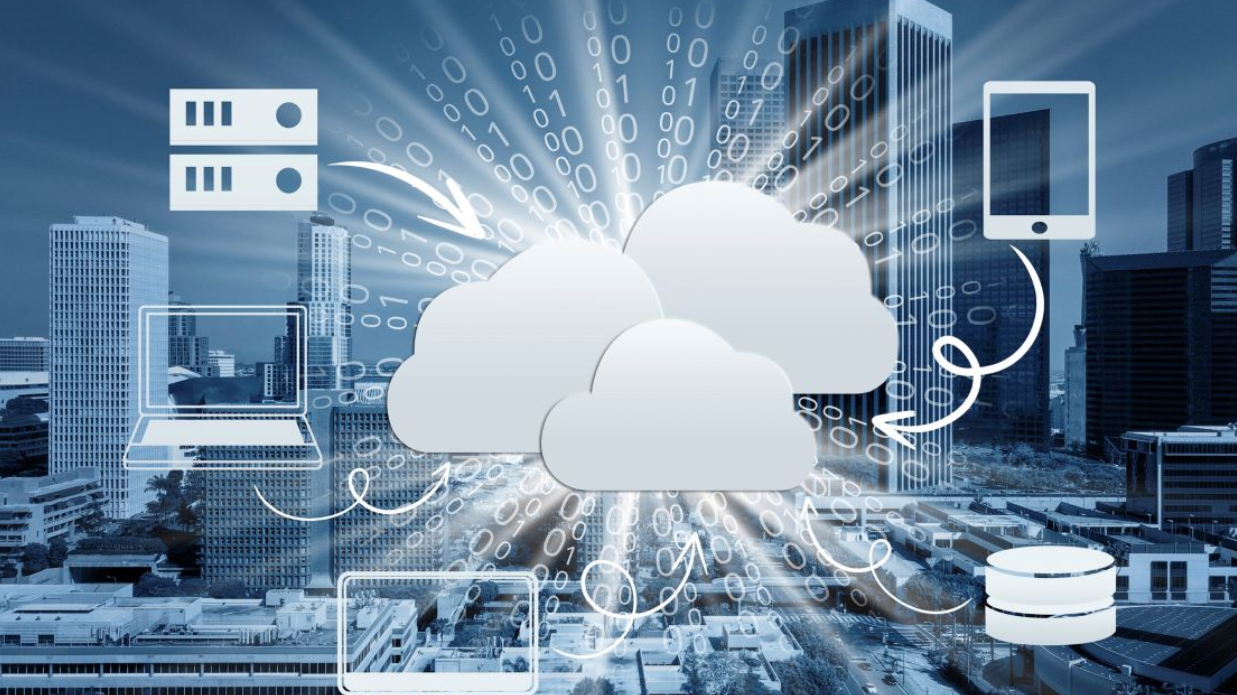
Real Success Stories
Consider the retail shop that cut accounting time from 20 hours weekly to just 3 hours by switching to cloud accounting. The owner now spends saved time growing the business instead of wrestling with spreadsheets.
Or the consulting firm that expanded from one office to five locations in two years. Cloud accounting provided the financial infrastructure to scale quickly without hiring additional accounting staff.
Then there’s the freelance designer who landed bigger clients because professional invoices and detailed project tracking demonstrated business maturity. Cloud accounting tools gave her small operation the polish of much larger agencies.
Taking Action Today
The question isn’t whether to adopt cloud accounting but when. Every day you wait means missed opportunities for efficiency, cost savings, and better financial insights.
Start by researching platforms that match your needs. Sign up for free trials and explore the features. Talk to your accountant about their recommendations and preferences. Many will help you set up the system at no extra charge because it benefits them too.
Remember that perfect timing doesn’t exist. There will always be busy periods or other priorities competing for your attention. The businesses thriving tomorrow are the ones making smart technology decisions today.
Cloud accounting represents more than just new software. It’s a fundamental shift in how businesses manage their financial health. The accessibility, affordability, security, and integration capabilities create advantages impossible with traditional methods.
Whether you run a one-person operation or manage a growing company, cloud accounting scales to meet your needs. The technology works for you around the clock, automating tedious tasks and providing insights that drive better decisions.
Making the switch requires some initial effort, but the long-term rewards far outweigh the short-term investment. Freed from manual data entry and locked-in-place systems, you gain the flexibility to run your business from anywhere while maintaining complete financial control.
The modern business landscape moves fast. Staying competitive means embracing tools that increase efficiency and reduce overhead. Cloud accounting delivers on both fronts while positioning your business for whatever the future brings.
Frequently Asked Questions
How much does cloud accounting typically cost?
Pricing varies widely based on features and business size. Basic plans for freelancers start around $10-15 monthly. Small business plans run $25-50 per month. Growing companies with advanced needs might pay $100-200 monthly. Most providers offer tiered pricing, so you only pay for features you actually use.
Can I use cloud accounting if I have no accounting background?
Absolutely! Cloud accounting platforms design their interfaces for non-accountants. Most offer guided setup, templates, and tutorials that explain concepts in plain language. You don’t need to understand debits and credits to send invoices, track expenses, or generate reports. However, consulting an accountant for initial setup and periodic reviews remains wise.
What happens to my data if I stop paying for the service?
Reputable providers let you export your data before canceling. They typically provide a grace period where you can still access information to download reports and transaction histories. Always check the cancellation policy before committing to any platform. Never rely solely on cloud storage—maintain regular backups of critical financial records.
How difficult is switching from desktop accounting software?
The difficulty depends on your current system and how much historical data you want to migrate. Most cloud platforms import data from popular desktop software like QuickBooks Desktop. The process usually involves exporting a file from your old system and importing it into the new one. Providers offer migration support, and many accountants specialize in helping businesses transition.
Will cloud accounting work without constant internet access?
Many platforms offer limited offline functionality for basic tasks like creating invoices or recording expenses. However, you need internet connectivity to sync data across devices and access the full feature set. Given how ubiquitous internet access has become through WiFi and mobile data, connectivity rarely poses a practical problem for most businesses.
Is cloud accounting suitable for complex businesses with specialized needs?
Cloud accounting has matured significantly and now serves businesses of all complexities. Enterprise-level platforms handle multi-entity structures, advanced inventory management, project accounting, and industry-specific requirements. The key is choosing a platform designed for your specific industry and complexity level rather than assuming all cloud solutions work the same way.


